
The first 30 days of a client relationship are the riskiest. Forms get lost in inboxes. Documents arrive in the wrong format. Half-completed intake means kickoff slips by a week. Five clients into the year, you’ve built a system. Twenty clients in, the system is collapsing.
Client onboarding software turns that chaos into a structured, repeatable workflow. An onboarding portal gives every new client the same polished, branded experience — checklist, documents, training, kickoff — without your team writing a custom plan for each one.
This guide covers the customer onboarding software worth using in 2026, the difference between an onboarding portal and the broader category, and how to think about scaling client onboarding past the spreadsheet-and-email phase.
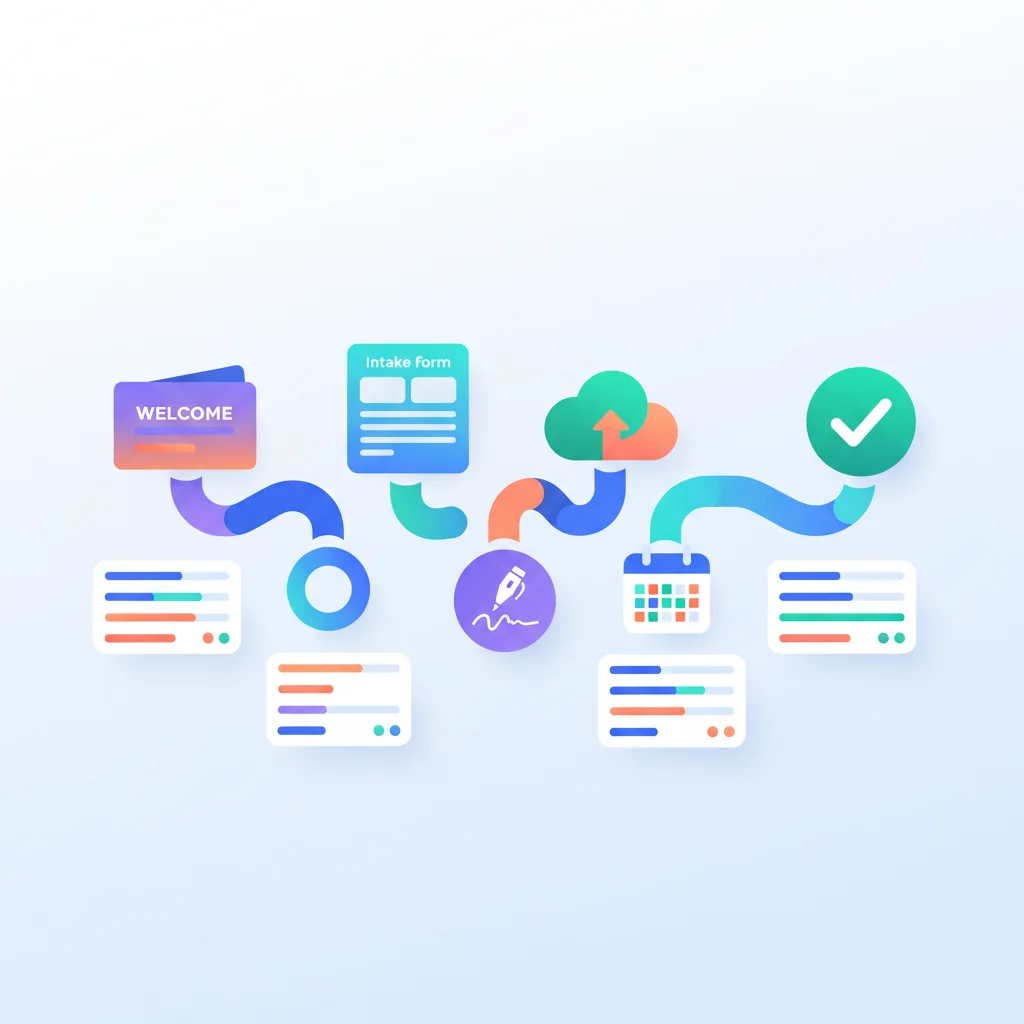
Onboarding Portal vs. Client Onboarding Software vs. Customer Onboarding Platform
The terms are often used interchangeably. The practical distinctions:
- Onboarding portal — A client-facing surface where new clients complete intake, sign documents, upload files, and track their onboarding progress. Always part of a broader platform.
- Client onboarding software — Service-business framing (agencies, consultancies, professional services). Emphasizes deliverables, project setup, kickoff workflows.
- Customer onboarding software / platform — SaaS framing. Emphasizes product adoption, activation milestones, in-app guidance, and time-to-first-value.
Different software, same underlying problem: convert a signed contract into an active, value-receiving customer with minimal friction.
What Good Client Onboarding Software Does
The basics every platform should handle:
- Structured intake — Forms that capture client info, goals, stakeholders, access requirements, branding, and any documents you need from day one.
- E-signature — Contracts, MSAs, NDAs signed inside the workflow, not bounced out to DocuSign and back.
- Task assignments — Both internal (your team) and client-side (their team) tasks, with deadlines and dependencies.
- Document collection — A secure way for clients to upload sensitive files, with version tracking.
- Project / engagement setup — Automated setup of project workspaces, Slack channels, shared drives, billing schedules.
- Status visibility — Both client and your team can see exactly where onboarding stands without status meetings.
- Templates — Re-usable onboarding playbooks per service line or client tier.
The advanced features that separate good from great:
- Conditional workflows — “If client is in financial services, collect SOC 2 attestation; if healthcare, collect BAA.”
- Integrations — Sync to your CRM, accounting, project management, comms tools so onboarding feeds your entire stack.
- Analytics — Time-to-onboard, drop-off points, stuck clients flagged automatically.
- Branded client experience — Your logo, your colors, your domain — not the vendor’s.
The Best Client Onboarding Software in 2026
For service businesses (agencies, consultancies, professional services)
- Rocketlane — The category leader for client onboarding in B2B services. Built specifically for project-based onboarding with a client portal, branded experience, structured templates, and analytics. Strong fit for agencies and SaaS implementation teams.
- GuideCX — Customer onboarding platform with a clean client portal and good integrations into Salesforce, HubSpot, and other CRMs. Popular at mid-market SaaS companies.
- OnRamp — Newer entrant focused on B2B SaaS onboarding with strong workflow automation and a polished client experience.
- Moxo — Client interaction platform with structured onboarding flows; common at professional services firms wanting an audit-ready client portal as part of broader engagement management.
- Dock — Sales-to-onboarding handoff with a unified client portal. Strong at the deal-to-implementation transition.
For SaaS (in-product onboarding and activation)
These overlap with client onboarding software but emphasize in-app guidance more than off-app workflow:
- Userpilot — In-product walkthroughs, tooltips, checklists, and onboarding analytics for SaaS.
- Appcues — Onboarding flows, tooltips, and in-app messaging without engineering effort.
- Pendo — In-product guidance plus analytics; common at mid-market and enterprise SaaS.
- Userflow — Lightweight in-app onboarding flows for SaaS companies.
- WalkMe — Enterprise-grade in-app guidance, particularly common in B2B SaaS and HR tech.
Lightweight and starter options
- ClickUp — Generic project management with templates that can serve as a basic onboarding workflow.
- Asana — Same approach: templates + client guest access.
- Trello — Kanban-style onboarding for very small teams.
- Notion — Shared workspaces as a lightweight client onboarding portal; works well at small scale.
- Process Street — Workflow and SOP checklists adapted for client onboarding.
For most service businesses graduating from spreadsheets, the question isn’t “Rocketlane vs. Notion?” — it’s when to make the jump. Roughly: under 10 onboardings/year, lightweight tools are fine; 10–50/year, the dedicated platforms start paying for themselves; 50+/year, the ROI is overwhelming.
What an Onboarding Portal Looks Like in Practice
A B2B SaaS implementation team uses Rocketlane. A new customer signs a contract on a Tuesday. By Wednesday morning:
- The deal data flows from Salesforce into Rocketlane and creates an onboarding project.
- The customer receives a welcome email with a link to their branded onboarding portal.
- Inside the portal, they see a 6-week implementation timeline with milestones, owners (theirs and the SaaS company’s), and checkpoints.
- The first task is a kickoff questionnaire. They complete it inside the portal.
- The second task is uploading a list of users to provision. Drag-and-drop into a secure file area.
- The third task is reviewing and signing the data processing agreement. E-signature in the portal.
For the SaaS company’s CSM, the entire status of every active onboarding is visible at a glance. For the customer, the experience replaces the chaos of email chains, Calendly invites, and Drive folders with a single source of truth.
That clean experience is what good client onboarding software delivers — and what distinguishes it from “we made a Notion page.”
Build vs. Buy: Custom Onboarding Portal in Your App
For SaaS companies, the question often arises: should we build the onboarding portal into our product, or use a dedicated platform?
Build if:
- Onboarding is differentiated and integral to your product (your product is the onboarding experience).
- You have the engineering capacity to maintain it indefinitely.
- You need data flows that are too custom for any third-party tool.
Buy if:
- Onboarding is a one-time event before product usage starts.
- You’d rather spend engineering hours on core product, not workflow infrastructure.
- You want analytics, templates, and improvements without owning the roadmap.
Most B2B SaaS companies land on a hybrid: dedicated onboarding software for the contract-to-activation phase, with in-product onboarding tools (Userpilot, Appcues, Pendo) for the activation-to-adoption phase. See our client onboarding feature page for the workflow patterns and build vs. buy guide for the decision framework.
Onboarding Portal Patterns That Actually Work
The teams whose onboarding portals see >90% completion rates share several patterns.
1. First task is always something the client wants to do
Don’t lead with “complete this form.” Lead with something the client perceives as progress — schedule the kickoff call, share their goals, choose their kickoff date. Get them doing something in the portal in the first 5 minutes. Form-completion follows once they’re invested.
2. Visible progress, finite scope
Show “Step 3 of 7” not “complete these 47 tasks.” Group tasks into logical phases with clear endings. A client who can see the finish line completes onboarding. A client staring at an endless task list ghosts.
3. Reduce client work to the minimum
For every task you ask the client to do, ask: can we do this for them? Most clients don’t want to fill out a long intake form — they want their problem solved. Use the contract data, public info, and integrations to pre-populate everything you can.
4. Automate the boring parts
Provisioning user accounts, creating shared folders, sending NDAs, scheduling kickoff calls — all of this should be triggered by portal actions, not manual handoffs. Your team’s job is the high-value parts of onboarding, not the workflow plumbing.
5. Bake in escalation
When a task sits incomplete for X days, the system flags it. When a portal sits idle for Y days, the CSM gets pinged. Don’t rely on humans to notice stuck onboardings — onboarding software exists in part to surface those.
Customer Onboarding Software Pricing Models
| Category | Commercial model to expect | Cost drivers to compare |
|---|---|---|
| Lightweight work management | Per internal user or workspace tier | Guest limits, automations, storage and permissions |
| Service-business onboarding | Internal seats, active projects, customers or custom quote | Portal branding, templates, integrations and support |
| SaaS in-app onboarding | Monthly active users, tracked users or usage tier | Audience definition, event volume, environments and analytics |
| Enterprise adoption platform | Annual contract or custom quote | Implementation, content services, security, SSO and support |
Do not underweight implementation. Workflow design, templates, integrations, data cleanup, enablement, and ongoing ownership can matter more than the subscription. Use the same customer volume and workflow assumptions for every quote, and verify current terms on each vendor’s official pricing page.
Frequently Asked Questions
What’s the difference between client onboarding software and a CRM?
A CRM tracks the relationship across its entire lifecycle (lead → opportunity → customer → renewal). Onboarding software focuses on the narrow window between deal close and active usage. They’re complementary — most onboarding platforms integrate with HubSpot, Salesforce, and Pipedrive to pull deal data and push activation milestones back into the CRM.
Do I need an onboarding portal if I only have a few clients per month?
Probably not yet. Under 5 onboardings/month, a well-designed Notion or Airtable workspace plus a few automation scripts usually delivers 80% of the value at 5% of the cost. The case for dedicated onboarding software gets compelling around 10–20 onboardings/month, when the same workflow is being repeated frequently enough that templating and analytics pay off.
Can client onboarding software handle complex multi-stakeholder onboardings?
Yes — that’s actually the use case where it shines. Enterprise onboardings often involve 5–15 stakeholders (legal, security, IT, business owner, end users) with different tasks at different times. Rocketlane, GuideCX, and Moxo all handle multi-stakeholder workflows with per-person task assignments, conditional dependencies, and stakeholder-specific views.
How does AI fit into client onboarding software?
Early but emerging. Current AI patterns in onboarding software include: drafting kickoff documents from the contract, suggesting tasks based on similar past onboardings, flagging stuck onboardings automatically, and acting as a chat assistant for client questions during onboarding. Expect this to expand rapidly through 2026–2027.
What’s the difference between an onboarding portal and a client portal?
An onboarding portal is typically a focused experience for the first 30–90 days of a relationship. A client portal is the ongoing experience for the entire client lifecycle. Some platforms (Moxo, SuiteDash) do both with the same surface — onboarding flows into the client portal seamlessly. Others (Rocketlane, GuideCX) specialize in the onboarding window and hand off to your main client experience after activation.
How long should client onboarding take?
It depends on what you’re delivering. Rough benchmarks:
- B2B SaaS self-service: Hours to days.
- B2B SaaS mid-market implementation: 2–6 weeks.
- Enterprise SaaS: 6–16 weeks.
- Service-business onboarding (agencies, consultancies): 1–3 weeks.
- Financial services: 2–4 weeks (compliance gating).
- Healthcare: 4–12 weeks (HIPAA, BAAs, integration testing).
Within each category, dedicated onboarding software typically compresses the timeline 30–50% over email-based onboarding.
What is customer onboarding software?
Customer onboarding software is a platform that structures the first 30–90 days of a new customer relationship — intake forms, contract signing, document collection, kickoff scheduling, training, and activation tracking. It replaces ad-hoc email and spreadsheet workflows with a repeatable, measurable, branded experience. Leading platforms include Rocketlane, GuideCX, OnRamp, and Userpilot for SaaS in-product onboarding.
What is the best onboarding software?
For B2B services and SaaS implementation teams: Rocketlane is the most-mentioned category leader. For in-product SaaS onboarding: Userpilot, Appcues, or Pendo. For service businesses needing an all-in-one client portal with onboarding: Moxo or SuiteDash. The “best” depends on your business model and where onboarding sits in your workflow.