
If your customer service team spends a meaningful slice of every day answering “where’s my order?” — your business needs a customer order tracking portal. The math is unforgiving: even at five minutes per inquiry across a few dozen daily orders, that’s hours of work that could be self-service.
A customer order tracking portal gives B2B buyers, wholesale customers, and e-commerce shoppers a single place to place orders, see real-time status, track shipments, view invoices, and re-order common items. It replaces the email-and-phone-call dance with a live dashboard that’s always up to date.
This article covers the full shape of an order tracking portal — from the simplest “show me my shipment” use case up to full B2B self-service ordering portals. For broader context, see our e-commerce industry page and the manufacturing industry page.
For most B2B companies, the portal should not become a second order database. The ERP or order-management system remains the system of record; the portal presents the right subset of that data to each customer and sends approved actions back.
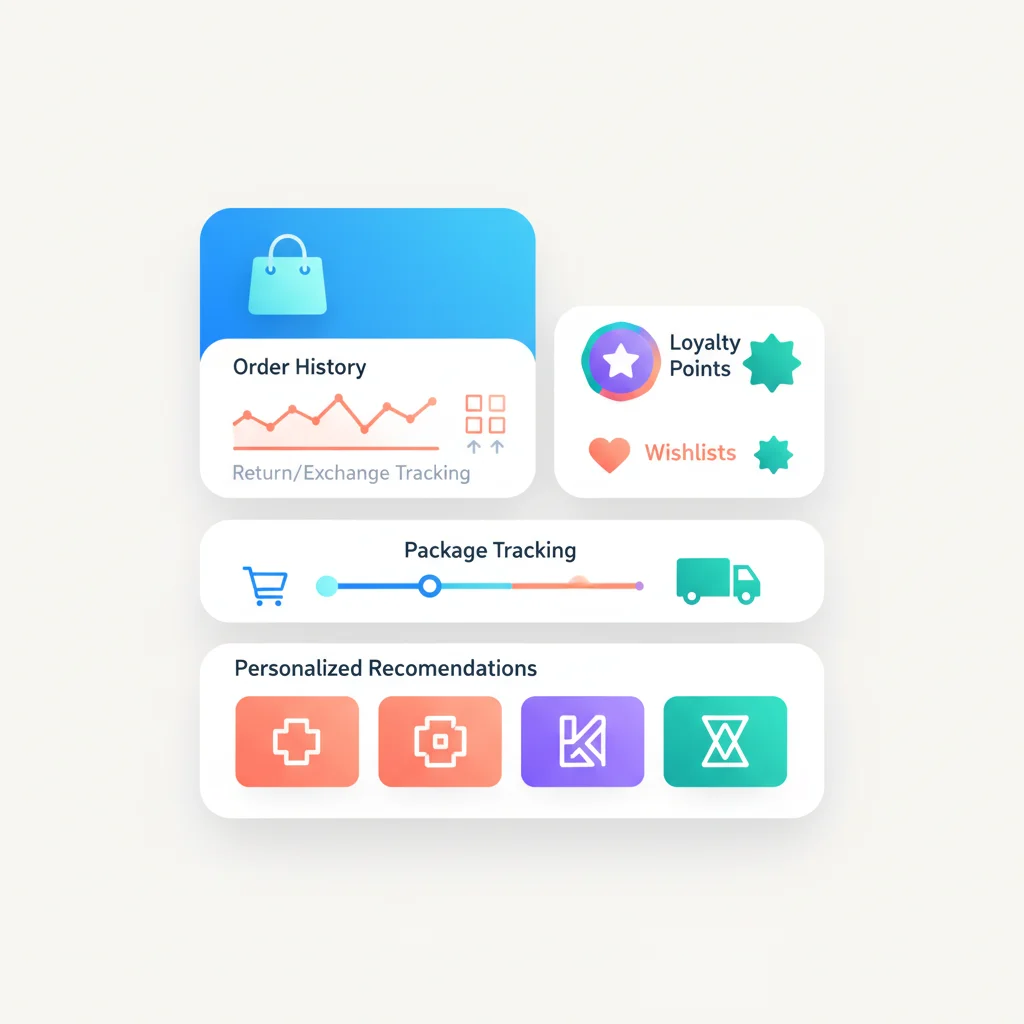
How ERP Order Tracking Works End to End
- ERP or OMS owns the order. It stores the customer, lines, promised dates, pricing, credit status and fulfillment state.
- An integration layer normalizes the data. An API, middleware platform or event stream maps internal statuses to language customers understand.
- The portal applies customer access rules. Account, location and role determine which orders, invoices and prices a user may see.
- The customer reads or acts. They check status, download an invoice, reorder, request a return or submit a change.
- Approved actions return to the source system. The ERP validates inventory, credit, pricing and approval rules before accepting the action.
- Events update the customer. Shipment, delay, invoice and delivery events trigger portal notifications with a link to the relevant order.
| System | Owns | Portal responsibility |
|---|---|---|
| ERP / OMS | Orders, pricing, inventory, credit and invoices | Display only authorized, customer-ready data |
| WMS / 3PL / carrier | Pick, pack, shipment and delivery events | Combine split shipments into a coherent order timeline |
| Identity provider | Users, authentication and enterprise SSO | Map users to customer accounts and roles |
| Portal | Customer experience, approvals and self-service actions | Never invent order state when an upstream system is unavailable |
What a Customer Order Tracking Portal Does
At its core, an order tracking portal turns three workflows from synchronous (call/email) into asynchronous (self-service):
1. Order status visibility
Customers log in and see the live status of every open order — placed, confirmed, in production (for manufactured goods), picked, packed, shipped, in transit, delivered. The portal pulls from your ERP, OMS, or fulfillment system so the data is current, not a snapshot.
2. Shipment tracking
Once an order ships, the portal shows the carrier, tracking number, expected delivery date, and live tracking link. For B2B orders with multiple shipments per PO, customers see line-item-level shipment status — which items shipped in which box.
3. Order history and re-order
Customers see every past order they’ve placed, with item-level detail, pricing, and the option to re-order with one click. For wholesale and B2B customers placing repeat orders, this single feature drives more portal usage than anything else.
Features That Make a B2B Ordering Portal Work
A read-only “where’s my order” portal is the minimum. Most B2B and wholesale businesses quickly need more.
Online ordering
Customers can place new orders directly through the portal — browsing the catalog with their custom pricing, configuring orders, applying contracted terms. This is what turns an order tracking portal into a B2B self-service ordering portal. Key elements:
- Customer-specific pricing — Each customer sees their negotiated price, not a generic list price.
- Customer-specific catalogs — Only the products the customer is authorized to order.
- Quantity-break and tier pricing — Volume discounts reflected in real time.
- Minimum order quantities and contract obligations enforced at checkout.
- PO upload — Many B2B buyers attach a purchase order document at checkout.
Order approval workflows
In B2B contexts, the person placing the order often isn’t the person who approves it. The portal needs to support approval routing — order created by a buyer, routed to their manager, finalized only when approved.
Inventory visibility
For wholesale and B2B customers, real inventory matters. The portal should show current stock, expected restock dates for out-of-stock items, and ideally let customers reserve inventory or queue back-orders.
Quote requests and management
For non-standard configurations or larger orders, customers can request a quote, receive it in the portal, accept it, and turn it into an order — all without an email exchange.
Invoice and payment
Customers see open invoices, payment history, available credit, and can pay invoices online (ACH, credit card, terms). For wholesale businesses, this single feature can compress days off the receivables cycle. See Billing and Payments.
Returns and RMA
Initiate a return, generate an RMA, print a shipping label, track the return through processing. Reduces customer service load while improving the returns experience.
Notifications
Email and SMS notifications for order placed, order confirmed, order shipped, order delivered, payment received, invoice due. Each notification deep-links into the relevant portal page.
Customer Order Tracking Portal Software
The right software depends on your business model. A few key categories:
E-commerce-native order portals
For businesses on Shopify, BigCommerce, WooCommerce, or similar platforms, the platform’s customer account area provides basic order tracking. Several apps extend this for B2B:
- Shopify B2B — Native B2B features on Shopify Plus, including company accounts, customer-specific catalogs, and pricing.
- BigCommerce B2B Edition — B2B features layered on BigCommerce, including the BundleB2B / B2B Edition app for company accounts and quote workflows.
- Magento (Adobe Commerce) B2B — Strong B2B feature set including company accounts, shared catalogs, requisition lists, and quote workflows.
B2B and wholesale ordering platforms
Purpose-built B2B ordering and customer portals:
- Handshake (Shopify) — Wholesale marketplace and B2B ordering.
- Pepperi — B2B sales platform with customer ordering portal, sales rep app, and ERP integration.
- Brightpearl — Retail operations platform with customer portal capabilities.
- OroCommerce — B2B commerce platform with deep customer portal features.
- Sana Commerce — B2B commerce platform tightly integrated with ERP (especially SAP and Microsoft Dynamics).
- Logicbroker — Drop-ship and B2B order management with portal capabilities.
ERP-integrated customer portals
For larger B2B businesses running ERPs like NetSuite, SAP, or Microsoft Dynamics, customer portals often come as part of the ERP suite or as add-ons:
- NetSuite Customer Center — Customer-facing portal natively in NetSuite.
- SAP Commerce Cloud — Enterprise-grade B2B commerce.
- Dynamics 365 Commerce — Microsoft’s commerce platform with B2B portal capabilities.
3PL and fulfillment portals
If you outsource fulfillment, your 3PL often provides a customer-facing portal for tracking shipments — though these are typically less customizable and not branded to your business.
What to compare before choosing software
| Requirement | Question to ask | Warning sign |
|---|---|---|
| ERP integration | Is there a maintained connector for your ERP version and data model? | “We have an API” without an ownership or retry model |
| Customer-specific data | Can catalogs, prices, credit and documents be isolated by account and location? | Permissions only at a broad user-role level |
| Order timeline | Can one order show partial production, split shipments and back-orders? | A single generic status field |
| Write-back | Which actions can customers submit, and where are they validated? | The portal becomes a second source of truth |
| Reliability | What happens when the ERP, carrier or integration is delayed? | Stale data is shown without a timestamp or warning |
| Adoption | Can notifications deep-link to the exact order or action? | Customers must search again after every notification |
What a Customer Order Tracking Portal Looks Like in Practice
A small wholesale food distributor — 200 restaurant and café customers, hundreds of SKUs, two truck routes per day — replaces order-taking by phone and email with a portal. Restaurants log in by 4 PM the day before delivery, see their negotiated pricing, browse what’s in stock, place their order, see expected delivery time on the next morning’s route, and confirm receipt against the actual delivery on their phone. The distributor’s customer service team — previously two full-time order-takers — gets reduced to one person handling exceptions. Order accuracy improves because there are no transcription errors from phone orders. And restaurants love it, because they can place orders at 11 PM after closing instead of trying to remember during a lunch rush.
A specialty industrial parts manufacturer — selling to a few hundred mid-market industrial customers — uses a customer order tracking portal to expose live inventory and order status from their ERP. A maintenance manager at a customer plant goes to the portal at 7 AM, sees a critical part is back in stock, places a same-day order with their negotiated pricing, gets confirmation, and sees the shipment leave the warehouse at 11 AM with delivery scheduled for the next morning. The same workflow a year earlier required a phone call, a sales rep, and an emailed PO — taking days, not hours.
A B2B SaaS company uses an even lighter version: a “customer portal order” page where enterprise customers see all their open and historical orders, license counts, renewal dates, and billing. Less about logistics, more about contract management — but the same self-service principle applies.
The common thread: portals work best when they reflect a business that’s already operationally tight (inventory data is accurate, prices are negotiated correctly, the ERP is the source of truth). The portal is the customer-facing surface; the operational discipline behind it is the foundation.
B2B Self-Service Retail Portal vs. Wholesale Portal vs. Retailer Ordering Portal
The terms get used loosely. The distinctions:
- Wholesale customer portal — Used by a manufacturer or wholesaler to let their wholesale buyers (retailers, distributors, restaurants) place orders, see pricing, and track shipments.
- Retailer ordering portal — Same idea, framed from the retailer’s perspective: where they go to order from their suppliers.
- B2B self-service retail portal — A retailer’s portal for their corporate or wholesale customers. Could be a manufacturer selling to retailers, or a multi-brand retailer with a B2B division.
- Customer order portal — The generic term, used across all the above.
Functionally these are all variants of the same thing: a logged-in area where business customers place and track orders against negotiated terms.
Frequently Asked Questions
Do I need a customer order portal if I’m on Shopify or BigCommerce?
The platform’s built-in customer account area covers basic order tracking. For B2B businesses with custom pricing, customer-specific catalogs, approval workflows, or quote management, you’ll need either Shopify Plus B2B / BigCommerce B2B Edition / Magento B2B, or a third-party B2B portal layered on top.
How does a customer order tracking portal integrate with my ERP?
The portal reads data from the ERP — orders, inventory, pricing, customers, invoices — usually via an API integration. Modern portals (Sana, OroCommerce, NetSuite, BigCommerce B2B) ship with pre-built connectors for common ERPs. Custom integrations can use REST APIs, OData, EDI, or middleware platforms like MuleSoft or Boomi. See our API integration guide.
Will customers actually use a portal instead of calling?
Yes — if you make it the path of least resistance. Customer order portal adoption follows the same patterns as other portals: clear value on first visit, frictionless login, and a deliberate plan to redirect customers from phone/email to the portal. See our portal adoption article.
What about wholesale customers who place orders by EDI?
Many B2B businesses run EDI and a customer portal side by side. Large customers transact via EDI; smaller customers use the portal. Some platforms (Logicbroker, OroCommerce) handle both EDI and portal-based ordering through one back-end.
How long does it take to launch a customer order portal?
For a SaaS B2B ordering platform (Pepperi, Sana, Oro) with clean ERP integration, 8–16 weeks is typical. For a Shopify B2B or BigCommerce B2B Edition build with a less complex catalog, 4–8 weeks. Custom builds — typically 6 months or more.
How does pricing work for B2B customers in a portal?
Each customer is assigned to a pricing tier or a custom pricelist in your ERP. When they log into the portal, prices displayed are their negotiated prices, not the public list. Contract-specific terms (volume discounts, minimum order quantities) are enforced at checkout. Getting this right is the single most operationally complex part of a B2B portal — and the most important.